

1 of
Product Description
ABZ Studios Presents
X100 Control (Standard, XL & MIDI Versions)
Control the functions of the MXR X100 Rockman pedal
https://www.youtube.com/watch?v=oSFkjanswgA
X100 Control usage video link
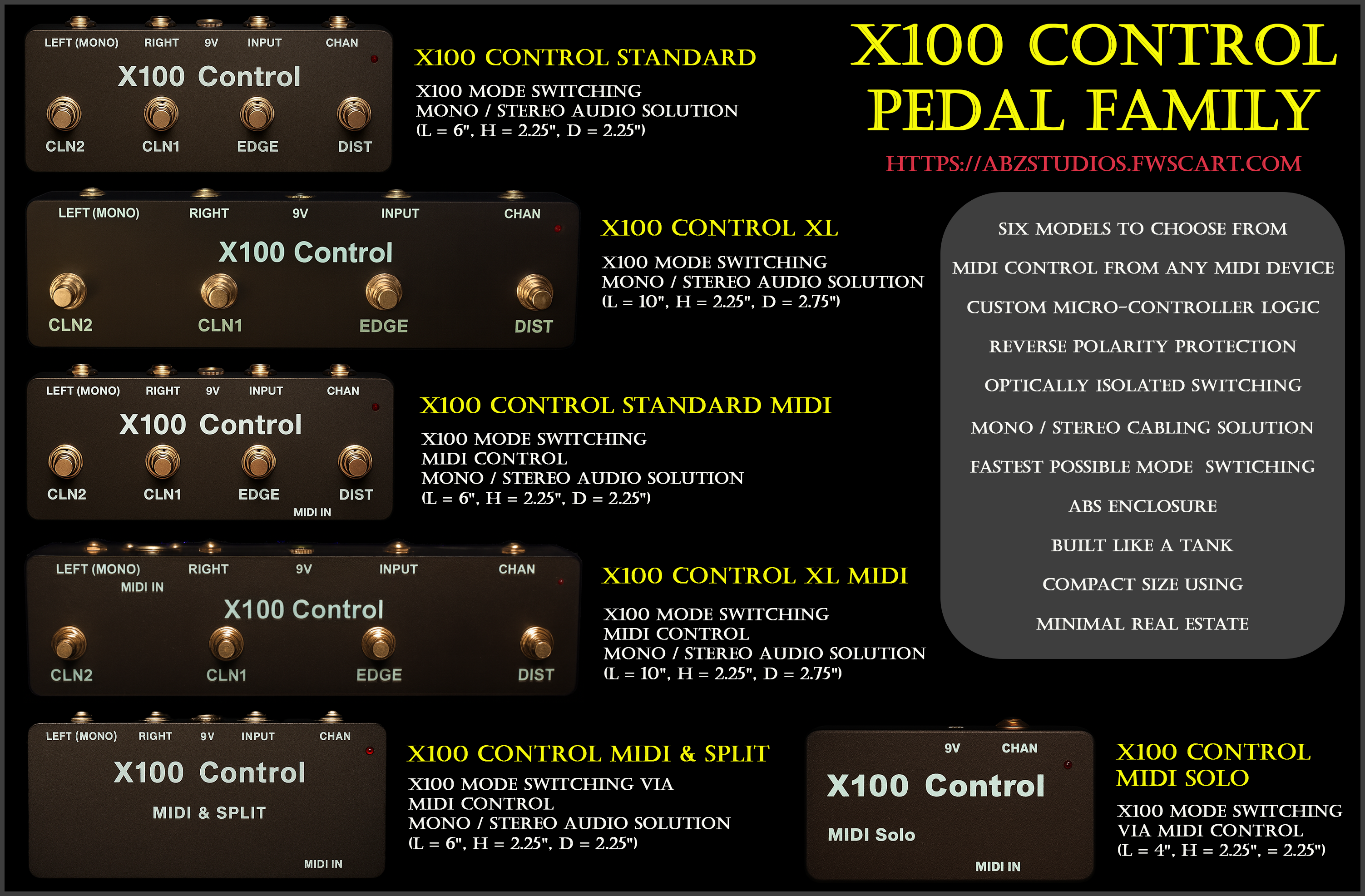
Now available in two non-Midi formats:
X100 Control Standard (L = 6", H = 2.25", D = 2.25") $169.00 + SH
X100 Control XL (L = 10", H = 2.25", D = 2.75") $174.00 + SH
And now four Midi formats to cover all your needs:
X100 Control MIDI Standard (L = 6", H = 2.25", D = 2.25") $209.00 + SH
X100 Control MIDI XL (L = 10", H = 2.25", D = 2.75") $214.00 + SH
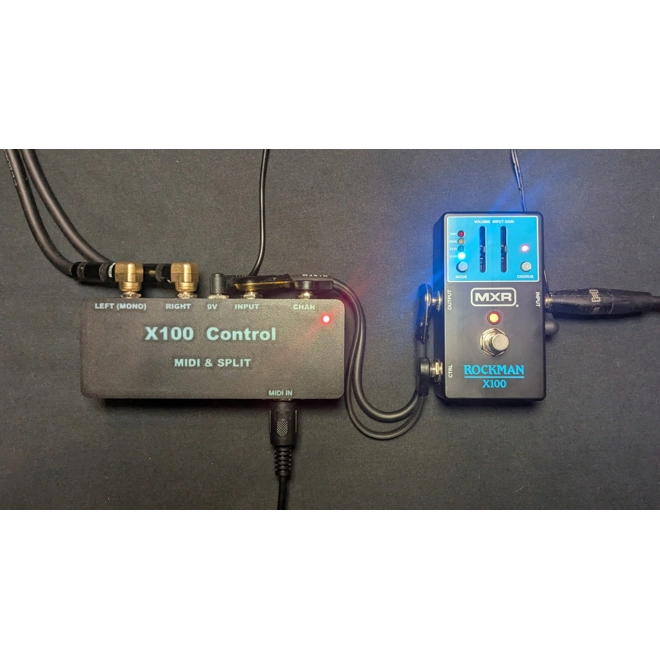
X100 Control MIDI & Split (L = 6", H = 2.25", D = 2.25") $189.00 + SH
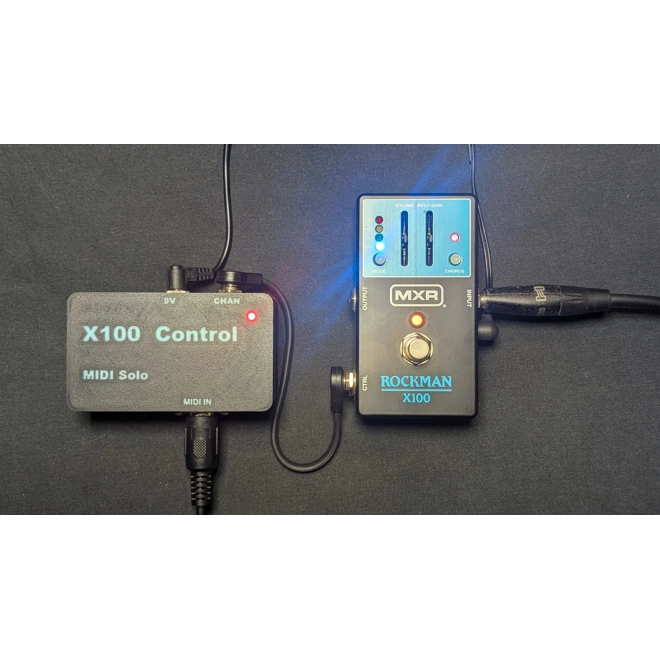
X100 Control MIDI Solo (L = 4", H = 2.25", D = 2.25") $169.00 + SH
A novel pedal designed to control the functions of the MXR X100 Rockman pedal.
MXR recently released the X100 Rockman pedal, a faithful recreation of the Scholz R&D Rockman headphone amp heard on countless albums from the 80’s. Like the original Rockman, it has 4 sound modes selectable by a small button on the top of the pedal. Each press cycles though the sound modes, one at a time, in sequence. This is fine if you are using the pedal in the studio as you can manually select the sound you want and record it, then change it, etc. However, if you want to control each sound mode in a live setting, then the X100 Control pedal is for you.
The MXR X100 Rockman pedal has a channel switching port on it that allows you to use a tap tempo switch to cycle one at a time through the sounds. Just like the top mounted little button. Unfortunately, this still will not allow you to get to the sound you want with only one press of a switch. This is where the X100 Control pedal comes in.
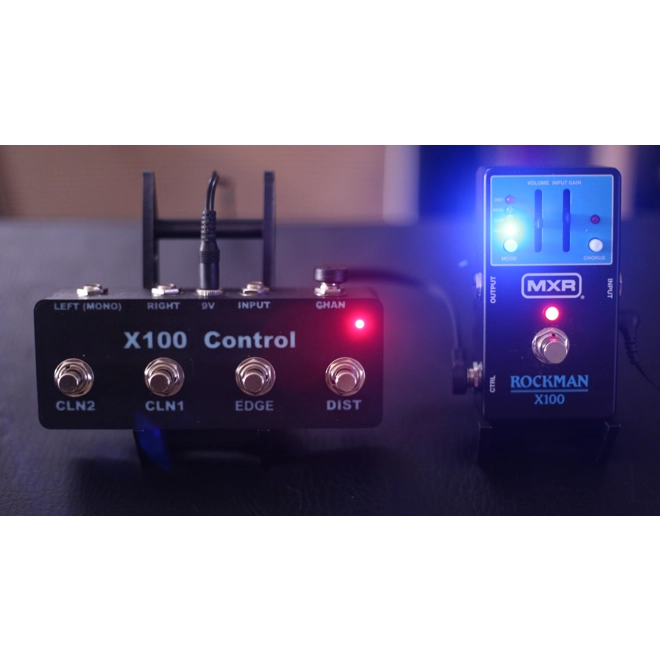
The X100 Control pedal has four virtually silent momentary switches corresponding to each sound on the Rockman pedal. This allows you to jump to any of the four sounds in real time. No cycling one at a time through each setting to get to the one you want. This is a game changer for using the Rockman pedal live.
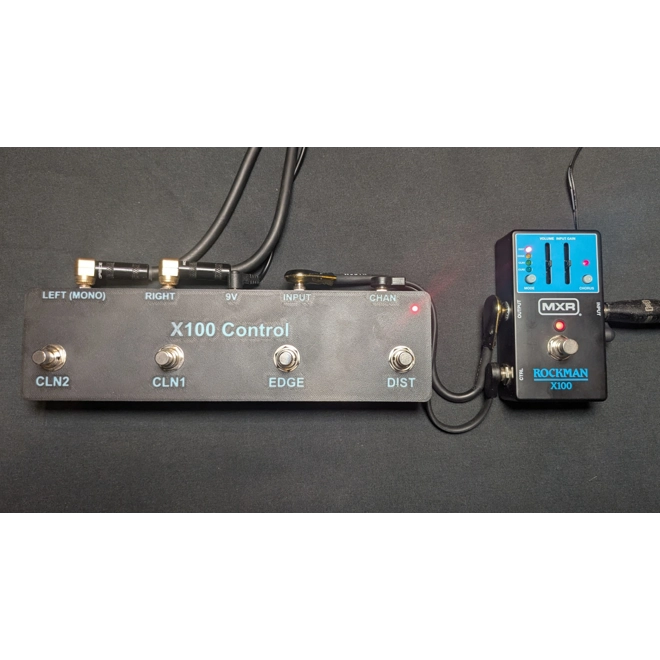
The X100 Control pedal provides unprecedented additional value by including built in Stereo TRS to Split Mono jacks to make running the Rockman pedal in Mono or Stereo a breeze. This eliminates the need for an expensive TRS to dual mono splitter cable. Just use a short right angle TRS to TRS jumper cable between the Rockman pedal and the X100 Control pedal. No more cable clutter.
The X100 Control pedal has many other amazing features that make it well worth the investment.
1) It is built like a tank, made from reinforced ABS Plastic, with custom inlayed lettering.
2) Contains a microprocessor providing custom logic that handles the channel switching extremely fast. Moving to and from the farthest sound modes takes less than two tenths of a second. Our code has been optimized to work at the fastest possible speed the Rockman pedal will support.
3) Designed to be powered by a standard (Center Negative) 9Volt 2.5mm DC barrel plug, the type found on all universal pedal board power supplies.
4) Our custom power circuit is fully optically isolated, meaning it will not introduce any noise into your rig, and is resistant to non-isolated and marginal 9V power supplies.
5) Provides a Mono and Stereo cabling solution, helping to eliminate clutter. This gives you two standard mono ¼” output jacks to connect to your amp(s) input jack(s), or effect return, or audio interface.
6) Has a mini LED power indicator.
7) Compact size takes up minimal real estate on your board.
8) It comes with solid rubber feat so it will stay where you put it.
9) Latest version now comes with reverse polarity protection on the power input.
Usage:
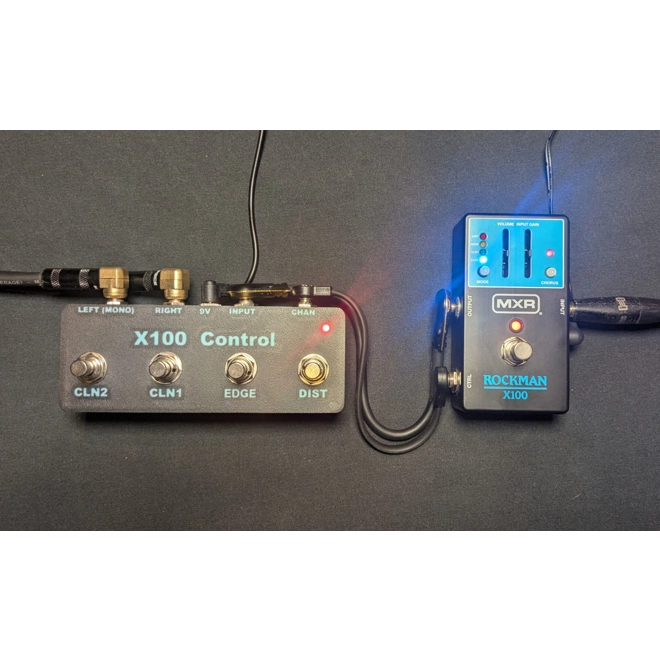
Important!! – When connecting the Rockman pedal to the X100 Control pedal, whenever connecting the power to each, press the MODE button on the Rockman pedal until the CLN2 channel is selected (as shown below). From that point on the X100 Control pedal will keep track of the channel position and correctly make channel selection changes. Repeat this process as needed at the start of each use.

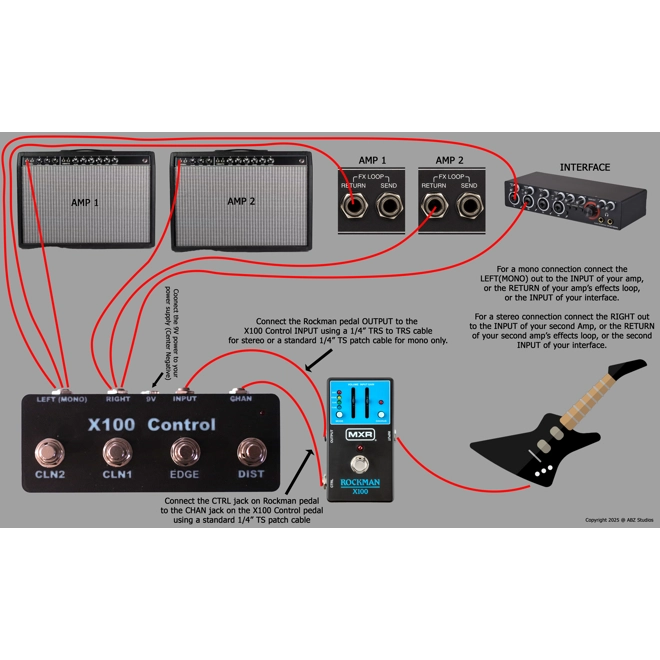
The X100 Control pedal connects to the Rockman pedal via the CHAN Jack on the back of the unit with a standard TS ¼” patch cable.

Connect the 9V power jack on the X100 Control pedal to your 9V power supply with 100ma recommended. (Center Negative)
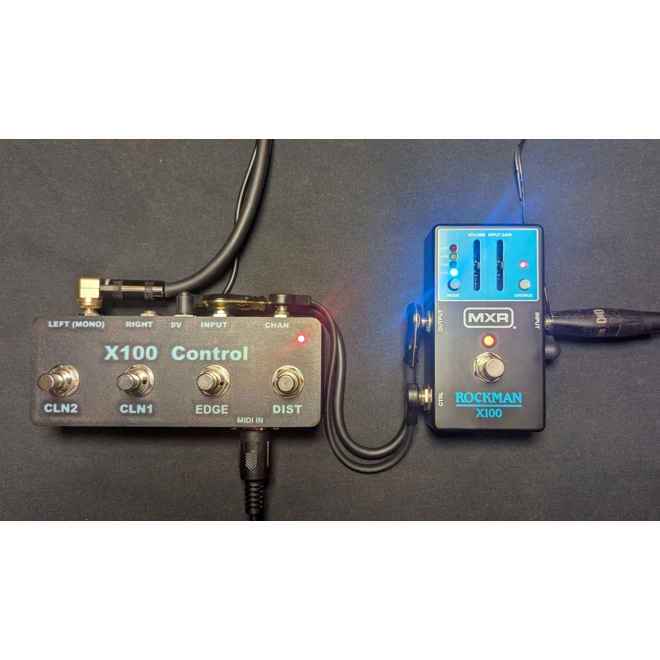
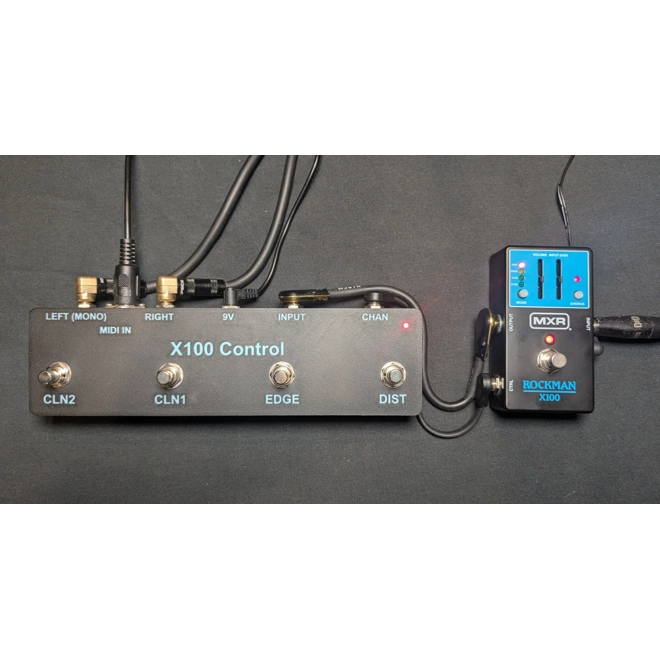
Connect the Stereo TRS output jack of the Rockman pedal to the X100 Control pedal’s INPUT Jack. Ideally, you would use a short Stereo TRS ¼” to Stereo TRS ¼” patch cable, but a Mono ¼” patch cable will work as well for a mono connection to your device. (see example image below)

Use the X100 Control pedal’s LEFT(MONO) and RIGHT output jacks to connect to your amp(s) input jack(s), or the Return of your amp’s effects loop, or to your audio interface. The LEFT(MONO) output jack is always on and can be used in both mono and stereo configurations. The RIGHT output jack is only functional when using a Stereo TRS ¼” to Stereo TRS ¼” between the Rockman pedal and X100 Control pedal (as shown in the image examples above and below).

New MIDI Versions:
X100 Control XL Midi / X100 Control Standard Midi
X100 Control Midi & Split / X100 Control Midi Solo
The X100 Control XL Midi and X100 Control Standard Midi pedals share the same features of the Standard X100 Control pedals and adds Midi control.
The new X100 Control Midi & Split pedal has all the regular features but removes manual switching control and utilizes Midi switching only. But it retains the Mono /Stereo audio solution of the standard pedals.
The new X100 Control Midi Solo pedal removes manual switching and the Mono /Stereo audio solution and provides Midi switching only for those that want the minimal switching solution.


The X100 Control MIDI pedals have newly integrated midi circuitry, custom micro-controller logic, and an external 5-pin din MIDI-IN port on the chassis. This allows a user to control the functions of the Rockman X100 Pedal via MIDI control from any MIDI source. This includes external hardware devices, keyboard controllers, PC or MAC DAWs, MIDI rack controllers, etc.
[MIDI Control setup updated 9-14-25, all new MIDI versions use below config]
All X100 Control MIDI pedals are designed to receive MIDI control messages on channel 4:
On your midi controller device, set it to send control changes to midi channel 4.
Then set it to send midi CC number of 20 and a CC value of 127 to trigger the CLN2 mode.
Then set it to send midi CC number of 21 and a CC value of 127 to trigger the CLN1 mode.
Then set it to send midi CC number of 22 and a CC value of 127 to trigger the EDGE mode.
Then set it to send midi CC number of 23 and a CC value of 127 to trigger the DIST mode.
Note: Some control devices will need to send a PRESS and a RELEASE command. Set the CC value of the PRESS to be 127. And the RELEASE to a CC value of 0.
Specifications:
6 models to choose from based on your individual needs.
Custom made rugged ABS plastic housing
Solid rubber feet
Four virtually silent momentary toggle switches
Power indicator LED
9V 100ma (Center Negative) power required
Reverse polarity protection on the power input
Fully optically isolated
Microprocessor with custom switching logic for fastest switching possible
Mono & Stereo output options for extreme ease of use
X100 Control XL MIDI allows for external MIDI control of mode switching
Compact size using minimal real estate on your board
Warrantee: 30 Day Return (less shipping cost)
International orders are accepted. Purchase the version you want, I will then email you a paypal invoice for the difference in shipping costs. The invoice is secure and payable with any major credit card.
Although extremely rare, additonal customs/duty fees may apply depending on receiving country and are the buyers responsibility.
Note!! – The Rockman pedal’s Chorus effect is not managed by the CTRL jack on the Rockman pedal, therefore not switchable via the X100 Control pedal.
Copyright 2025 @ ABZ Studios
Overview
Weight
12.0oz
Product Condition
New
Product Code
eDFYAFD
